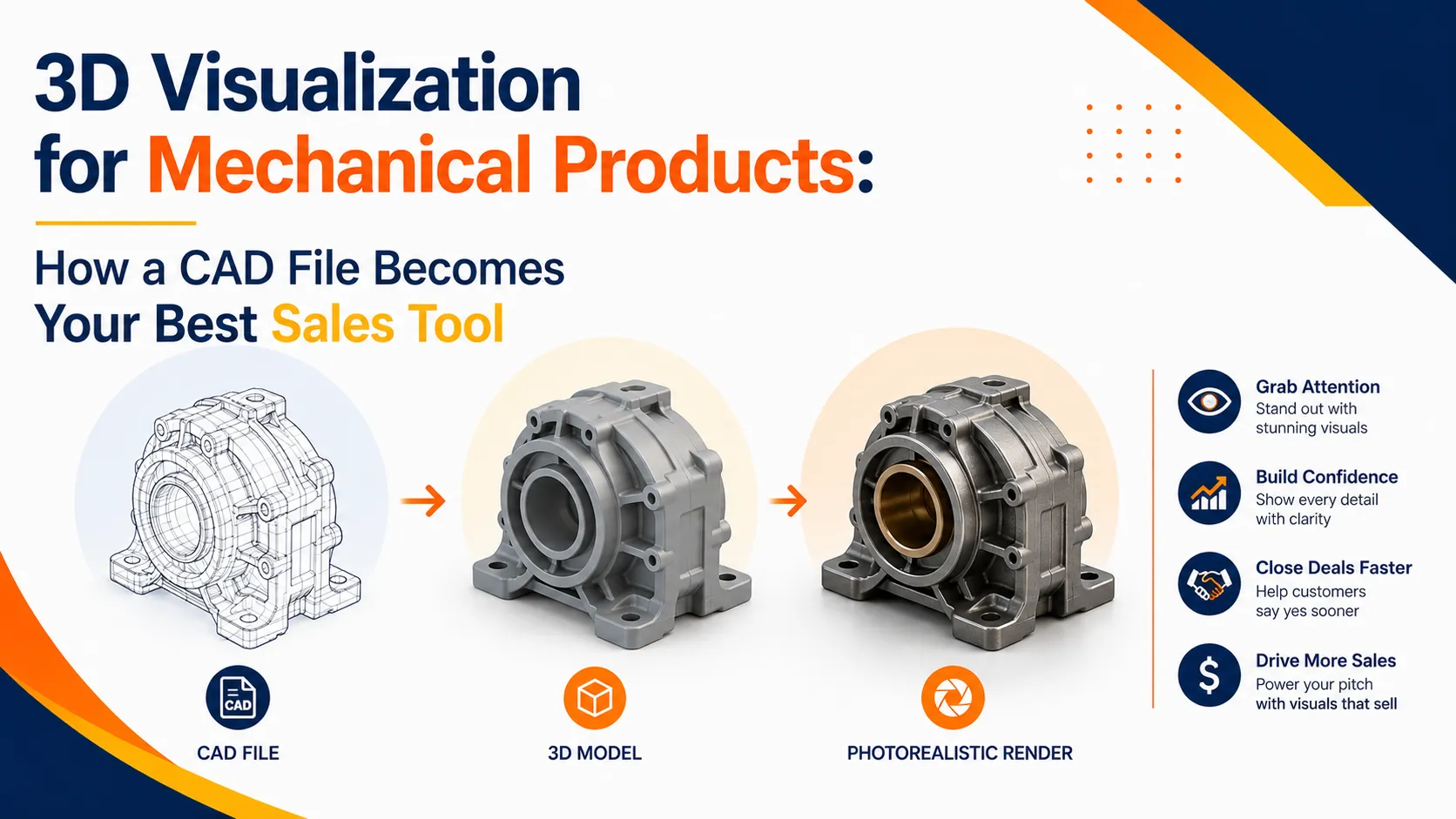

Every mechanical product company has them. Folders full of CAD files. SolidWorks assemblies, CATIA models, STEP files - built with precision, maintained carefully, used daily by the engineering team.
But the moment a sales meeting happens, or an international buyer asks for product visuals, those same files become almost useless.
Not because they lack detail. They have plenty of it. The problem is that a raw CAD model or a 2D engineering drawing means nothing to someone outside the engineering department. A buyer doesn't see a product. They see lines and numbers.
That's the gap 3D visualization fills.
What 3D Visualization Actually Is
Simply put, it's the process of taking your existing CAD files and converting them into photorealistic visuals - still images, animations, exploded views, cross-sections, or full working machine sequences.
It's not a simulation. It's not an upgraded version of CAD software. It's a visual communication tool built for the people your engineering files were never meant to reach - clients, distributors, buyers, dealers, and decision makers.
The final output looks like a real photograph of your product. Except it's entirely computer generated and can show things no camera ever could. Internal components. Hidden mechanisms. A complete assembly sequence broken down step by step.
Your CAD Files Are Already Most of the Way There
This is something a lot of engineering companies genuinely don't know.
You don't need to commission new models or start anything from scratch. Files in SolidWorks, CATIA, STEP, or IGES format can be directly imported and used as the base for the entire visualization process. The geometry, dimensions, and assembly structure your team already spent time building - that becomes the foundation.
The studio takes it from there. Materials get applied. Lighting gets set up. The model gets prepared and optimized for rendering. The more complete and clean your CAD data, the faster the whole process moves and the more accurate the final visuals turn out.
In cases where files are incomplete or simply not available, a good studio can rebuild from engineering drawings or reference images. But starting with solid CAD data saves time and gets better results.
Walking Through the Process
It helps to know what actually happens between handing over a CAD file and receiving a finished render.
It starts with a file review where the studio goes through what you've sent, checks for completeness, and figures out which components need to be highlighted or animated. Then comes model optimization - because a file built for engineering and a file built for rendering are two different things. The geometry gets cleaned up without losing any visual accuracy.
After that, materials and texturing bring the product to life. Metal, plastic, rubber, glass - every surface gets matched to your actual product specs, including reflections, surface finish, and brand colors. Lighting is set up next, and this is honestly where the difference between a flat render and a photorealistic one gets made.
Finally the render is produced - high resolution, ready for print or screen. If animation is part of the brief, motion gets added at this stage. Output formats depend on where you're using the visuals. PNG or JPEG for print, MP4 for video, WebGL if you want an interactive viewer sitting on your website.
The Range of Outputs You Can Get
One thing worth knowing is that the same CAD file can produce several different types of visuals depending on what you actually need.
Static renders work well for product catalogs, brochures, and website pages. A 360° turntable animation is great for trade shows and product landing pages. Exploded views are useful for spare parts catalogs and assembly documentation.
Cross-section renders let you show internal parts without physically cutting anything open. Working machine animations show exactly how the machine operates and work really well in sales presentations and training material. And a web 360° interactive viewer can be embedded directly on your website so visitors can explore the product on their own.
Where Companies Are Actually Using These Visuals
The use cases are more practical than most people expect.
Sending photorealistic renders to international buyers before the machine is even built. Running trade show displays without the cost and hassle of shipping heavy equipment.
Making tender and proposal documents stand out with product visuals instead of flat drawings. Helping dealers and distributors explain a product confidently without needing deep technical knowledge. Refreshing outdated product photography on websites. Creating operation and maintenance manuals that are actually easy to follow.
Getting Started Is Simpler Than It Sounds
You don't need much to kick things off. Your CAD files, a few reference images if you have them, your brand color specs, and a clear brief on which views or features matter most. The studio takes care of everything else.
For standard products, initial renders usually come back within 3 to 5 working days. Complex machine animations typically take 2 to 4 weeks depending on the scope.
If your product already exists in CAD, you're a lot closer to professional marketing visuals than you probably think. The files your engineering team works with every day have more potential than most companies realize - and turning them into a sales asset is more straightforward than starting from scratch.



























Sign in to leave a comment.