
Launching a website often feels like crossing the finish line. The design looks good, the pages load, and everything seems to work. For many businesses, that moment creates a false sense of completion. In reality, a website’s launch is only the beginning of its lifecycle.
Website maintenance is what keeps a site fast, secure, and visible long after it goes live. Without regular attention, even a well-built website can slowly lose performance, develop security gaps, or slip down in search results. These issues rarely show up overnight, which is why maintenance is often overlooked until something breaks.
One of the most common misconceptions among growing businesses is the idea that “once the site is live, the work is done.” In practice, websites need ongoing updates, checks, and improvements to keep up with changing user expectations, search engine requirements, and security threats.
This is where the difference between WordPress websites and custom-built websites becomes important. While both require maintenance, the tasks, frequency, and level of technical involvement can vary significantly. Understanding these differences helps businesses choose the right platform and plan a maintenance strategy that supports growth instead of slowing it down.
What is Website Maintenance?
Website maintenance is the ongoing work that keeps your website fast, secure, and up-to-date. It involves checking performance, updating content, ensuring security, and monitoring SEO to make sure your site continues to serve your business effectively. Regular maintenance prevents issues, improves user experience, and supports growth.
What Website Maintenance Really Includes
Website maintenance isn’t just about keeping your site “online.” It’s a combination of tasks that ensure your website performs well, stays secure, and continues to serve your business goals. For growing businesses, a well-maintained website can directly impact traffic, conversions, and customer trust.
Here’s what proper website maintenance typically includes:
- Performance and Speed Checks
- Regularly test your website’s loading times.
- Identify slow pages or elements that could frustrate users.
- Optimise images, scripts, and caching to keep your site fast.
- Security and Data Protection
- Keep software, plugins, and themes updated to prevent vulnerabilities.
- Conduct malware scans and monitor for suspicious activity.
- Ensure backups are working and accessible in case of emergencies.
- Content Updates and Accuracy
- Refresh outdated text, images, or product information.
- Fix broken links or missing pages that hurt user experience.
- Ensure messages align with current branding and offers.
- SEO Health and Visibility
- Check meta titles, descriptions, and headings for optimization.
- Monitor indexing, sitemaps, and search performance.
- Update internal links and maintain a clean site structure.
- Ongoing Fixes and Improvements
- Resolve bugs, layout issues, or plugin conflicts.
- Make incremental improvements to usability and functionality.
- Test across devices and browsers to ensure a consistent experience.
Regular attention to these areas ensures your website not only stays functional but continues to grow with your business.
WordPress Website Maintenance Checklist
Keeping a WordPress site healthy and running smoothly means regularly checking a few key areas. As your business grows, this structured approach ensures your website stays secure, fast, and easy for users and search engines to navigate.
1. Core Updates and Compatibility
Keeping WordPress running smoothly starts with regular updates. This includes:
- WordPress Core Updates – Install the latest version to benefit from security patches and new features.
- Theme and Plugin Updates – Update all themes and plugins to prevent conflicts and vulnerabilities.
- Post-Update Checks – Test your site after updates to ensure everything works and no features are broken.
These core updates are the foundation of a healthy WordPress site, ensuring stability and compatibility as your business grows.
2. Security and Backups
Keeping your WordPress website secure is essential to protect both your business and your visitors. Key maintenance tasks include:
- Security Plugins and Firewall Setup – Install and configure trusted security plugins to block threats and unauthorized access.
- Malware Scanning – Regularly scan your site for malware or suspicious activity to catch issues early.
- Automated Backups and Recovery Checks – Schedule automatic backups and test recovery to ensure you can restore your site if something goes wrong.
A strong security routine combined with reliable backups gives peace of mind and prevents costly downtime.
3. Performance Optimisation
A fast, responsive website keeps visitors engaged and improves search rankings. Key tasks for WordPress performance maintenance include:
- Image Compression and Caching – Optimize images and enable caching to reduce page load times.
- Removing Unused Plugins – Delete inactive or unnecessary plugins that can slow down your site.
- Database Cleanup – Regularly clean your database to remove clutter, old revisions, and transient data.
Consistently monitoring and improving performance ensures your WordPress site stays quick, efficient, and user-friendly.
4. Content and SEO Maintenance
Keeping your WordPress site updated with fresh content and proper SEO ensures it stays visible and relevant. Key tasks include:
- Updating Blog Content and Pages – Refresh outdated posts, add new information, and remove obsolete content.
- Meta Titles, Descriptions, and Internal Links – Optimize on-page SEO elements to improve search visibility.
- Sitemap and Indexing Checks – Ensure your pages are properly indexed and search engines can crawl your site efficiently.
Regular content and SEO maintenance help your website attract more visitors, improve rankings, and provide a better user experience.
Custom Website Maintenance Checklist
1. Code and Framework Updates
Custom websites rely on unique code and frameworks, which require careful upkeep to remain stable and secure. Key maintenance tasks include:
- Updating Libraries, Frameworks, and APIs – Keep all underlying technologies current to ensure compatibility and security.
- Reviewing Deprecated Code – Identify and update outdated code that could cause errors or vulnerabilities.
- Version Control Management – Use version control systems to track changes, roll back updates if needed, and maintain organized development.
Regularly maintaining the codebase ensures your custom website continues to perform reliably as your business grows.
2. Security and Server Management
Security is critical for custom websites, especially since they often handle sensitive data and rely on server configurations. Key maintenance tasks include:
- Server-Level Security Updates – Apply operating system and server software patches to prevent vulnerabilities.
- SSL and Data Protection Checks – Ensure SSL certificates are active and sensitive data is encrypted.
- Access Control and Permissions – Regularly review user accounts, permissions, and authentication protocols to prevent unauthorized access.
Consistent security and server management protect your website from hacks, downtime, and data breaches, keeping both your business and customers safe.
3. Performance and Scalability
Custom websites need regular performance checks to handle growth and increasing traffic. Key tasks include:
- Code Optimisation – Refactor code and remove inefficiencies to ensure faster load times.
- Database Tuning – Optimize queries and manage database structure to prevent slowdowns as content grows.
- Load Testing – Simulate high traffic to identify potential bottlenecks and ensure your site can scale smoothly.
Maintaining performance and scalability ensures your custom website continues to deliver a fast, reliable experience, even as your business expands.
4. Content and SEO Management
Even for custom websites, keeping content fresh and SEO-friendly is essential for visibility and engagement. Key maintenance tasks include:
- Content Updates via CMS or Developer Support – Regularly refresh pages, blogs, and product information to keep your site relevant.
- Technical SEO Audits – Check site structure, meta tags, headings, and indexing to ensure search engines can crawl your site effectively.
- Structured Data and Performance Monitoring – Implement structured data where needed and track performance metrics to maintain search visibility.
Consistent content and SEO management help your custom website attract traffic, maintain rankings, and support overall business growth.
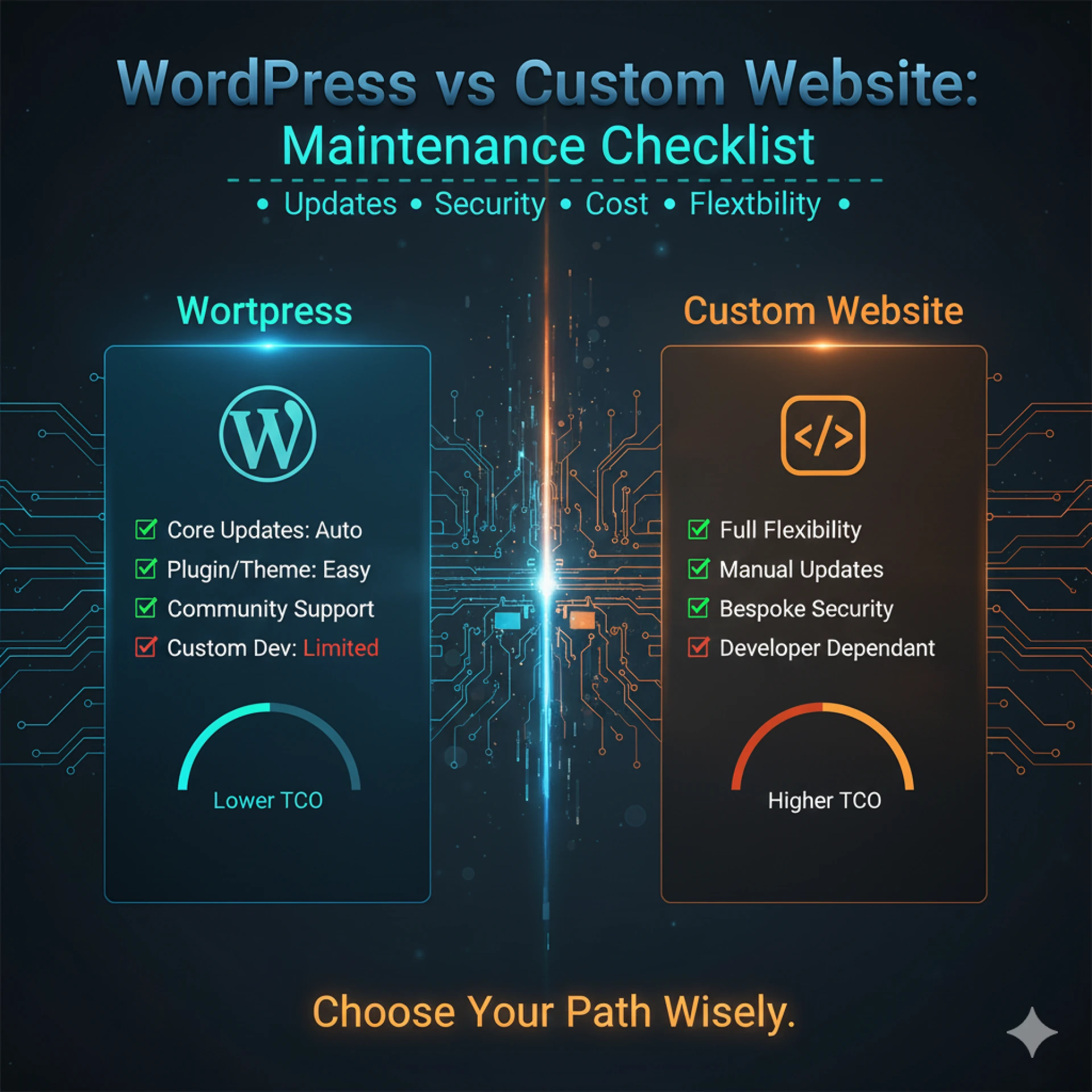
WordPress vs Custom Website Maintenance Comparison
Understanding the maintenance differences between WordPress and custom websites helps businesses plan better and avoid unexpected issues. Here are the key points to consider:
| Aspect | WordPress | Custom Website |
| Update Frequency | Regular updates for core, themes, and plugins (weekly/monthly) | Updates depend on code, frameworks, and server (less frequent but technical) |
| Technical Involvement | It can often be handled with plugins or basic technical knowledge | Usually requires a developer or technical team for updates and fixes |
| Cost & Time | Lower ongoing maintenance costs and faster fixes | Higher costs due to specialized work, but it offers more control and flexibility |
| Risk Factors | Vulnerable to plugin conflicts, outdated themes, and security risks if not updated | Risk of errors during code updates; heavy reliance on developers for fixes |
This comparison helps growing businesses weigh their options and plan a maintenance strategy that fits their technical capacity, budget, and growth goals.
Maintenance Frequency: What to Do and When
Maintaining a website isn’t just a one-time task—it requires a schedule to keep everything running smoothly. Here’s a practical breakdown for growing businesses:
Weekly Tasks
- Security Scans and Backups – Check that backups are running and perform quick malware scans.
- Minor Content Checks – Review new blog posts, page updates, or small content changes to ensure everything displays correctly.
Monthly Tasks
- Performance and SEO Checks – Test page speed, review analytics, and ensure SEO elements like meta tags are up to date.
- Update Reviews – Check for available WordPress updates or code patches for custom sites and plan installations.
Quarterly Tasks
- Full Maintenance Audit – Review site functionality, check for broken links, and assess overall performance.
- UX and Conversion Review – Evaluate navigation, forms, and calls-to-action to improve user experience and conversion rates.
This schedule helps businesses stay proactive, preventing issues before they impact visitors or search rankings.
Common Maintenance Mistakes to Avoid
Even with the best intentions, many businesses make mistakes that reduce the effectiveness of their website maintenance. Avoiding these pitfalls can save time, money, and headaches:
- Skipping Updates to “Avoid Issues”
Postponing updates because you fear something might break can leave your website vulnerable to security risks and performance problems.
- Relying Only on Plugins or Tools
Automation helps, but depending solely on plugins or software without manual checks can miss critical errors or conflicts.
- Not Planning Maintenance During Development
Failing to integrate a maintenance strategy from the start can lead to higher costs and complications as the site grows.
- Ignoring Performance Metrics
Speed, responsiveness, and user experience should be monitored regularly; ignoring these can impact conversions and SEO.
- Neglecting SEO Updates
Outdated meta tags, missing sitemaps, or broken links can slowly harm search visibility, even on well-built sites.
By proactively avoiding these mistakes, businesses can ensure their website remains secure, fast, and effective as it grows.
Which Platform Is Easier to Maintain?
Choosing the right platform depends on your business needs, technical resources, and long-term goals. Here’s a closer look at when WordPress or a custom website might be easier to maintain:
- When WordPress Makes More Sense
- Ideal for businesses that want lower ongoing maintenance costs.
- Easier to update with plugins and built-in tools.
- Good for websites with standard features, blogs, or e-commerce with WooCommerce.
- When a Custom Website Is a Better Long-Term Option
- Suited for businesses that need unique features or high scalability.
- Offers more control over performance, security, and design.
- Requires a developer or technical team for updates and fixes, making maintenance more hands-on but flexible.
Ultimately, the “easier” platform depends on your team’s technical skills, the complexity of your website, and your growth plans. WordPress is simpler for day-to-day tasks, while custom websites provide long-term flexibility at the cost of higher technical involvement.
Final Thoughts: Choosing the Right Maintenance Strategy
Effective website maintenance isn’t just about the platform; it is about consistency and planning. Whether you choose WordPress or a custom website, regular updates, security checks, and performance monitoring keep your site running smoothly, protect your business, and support growth. A proactive maintenance approach always beats reacting to problems after they arise.
Regular maintenance ensures your website stays secure, performs well, ranks in search engines, and continues to provide a great experience for visitors. For businesses looking for professional support, exploring comprehensive website maintenance plans can help ensure all updates, security checks, and performance tasks are handled consistently.











Sign in to leave a comment.