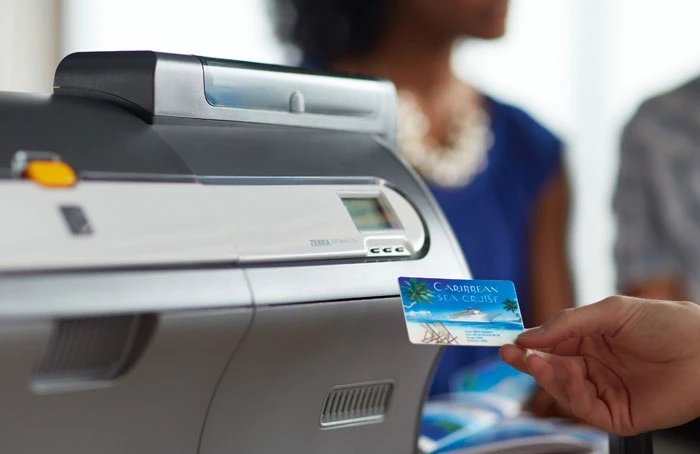

Choosing the right id card printer is more important than many businesses initially realize.
Whether you're managing employee access, enhancing security, or creating professional identification cards, the right solution can streamline operations and strengthen your brand image.
This guide breaks it all down in a simple, practical way so you can make a confident decision.
Why Your Business Needs an ID Card Printing Solutions
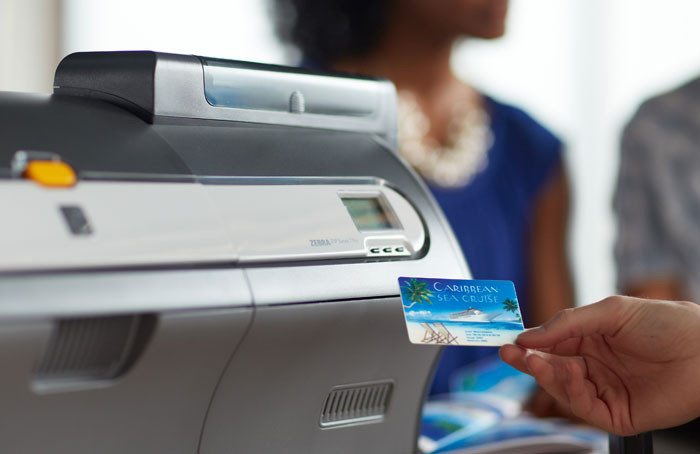
Businesses across industries such as corporate offices, schools, healthcare facilities, and retail stores rely on ID systems for smooth daily operations.
Having an in-house printing system gives you control. You don’t have to wait for third-party vendors, and you can issue or replace cards instantly. This becomes especially useful in environments with high employee turnover or frequent visitor access requirements.
Key Factors to Consider Before Choosing
1. Printing Volume
Are you printing a few cards per week or hundreds per day?
- Low volume: Entry-level printers
- High volume: Industrial-grade printers
Choosing the wrong capacity can either slow you down or lead to unnecessary expenses.
2. Print Quality
If your cards include logos, photos, or branding elements, print resolution matters. High-resolution printing ensures professional-looking results that reflect your brand identity.
3. Single-Sided vs Dual-Sided Printing
- Single-sided: Basic ID cards
- Dual-sided: More data, barcodes, or company policies
Dual-sided printing is more efficient for growing businesses.
4. Security Features
Modern businesses need secure ID systems. Look for:
- Holographic overlays
- Smart chip encoding
- Magnetic stripe support
These features help prevent unauthorized access and duplication.
5. Ease of Use
A good system should be simple enough for your team to operate without extensive training. User-friendly software and intuitive controls make a big difference.
Types of ID Card Printers
Understanding the different types helps you choose the right fit.
Direct-to-Card (DTC) Printers
These are the most common and cost-effective. They print directly onto the card surface and are ideal for standard business needs.
Retransfer Printers
These printers offer superior print quality by printing onto a film that is then applied to the card. They are perfect for high-end cards requiring durability and edge-to-edge printing.
Essential Features to Look For
High-Speed Printing
Saves time, especially for bulk printing tasks.
Connectivity Options
Look for USB, Ethernet, or wireless connectivity depending on your setup.
Encoding Capabilities
Smart card and RFID encoding allow integration with access control systems.
Software Integration
The ability to integrate with HR systems or attendance software improves workflow efficiency.
Durability
A robust build ensures the printer lasts longer, even with frequent use.
Benefits
1. Enhanced Security
Control who enters your premises with properly issued ID cards.
2. Cost Savings
Reduce reliance on external vendors and minimize recurring expenses.
3. Instant Card Issuance
Print cards on demand—no delays, no waiting.
4. Professional Branding
Well-designed ID cards improve your company’s image.
5. Improved Efficiency
Streamlined processes save time for HR and admin teams.
Common Mistakes to Avoid
Many businesses make avoidable mistakes when purchasing:
- Choosing based only on price
- Ignoring future scalability
- Overlooking security features
- Not checking compatibility with existing systems
Avoiding these pitfalls ensures you get long-term value from your investment.
How the Right Choice Impacts Business Growth
The right choice is not just a tool—it’s part of your operational strategy. It supports employee management, strengthens internal security, and improves overall workflow.
For example, in a retail environment, combining ID cards with system access ensures only authorized staff handle sensitive operations. In corporate settings, it simplifies attendance tracking and access control.
Why Businesses Trust Reliable Providers
Working with experienced providers like Mantaz Technologies llc ensures you get expert guidance, quality products, and ongoing support. Instead of guessing what works, you get solutions tailored to your business size and industry.
From consultation to installation, having the right partner makes the process smooth and efficient.
Features vs Needs: Finding the Right Balance
It’s easy to get overwhelmed by advanced features, but not every business needs everything.
Ask yourself:
- Do you need high-security encoding?
- Will you print in bulk regularly?
- Do you require integration with other systems?
Matching features with actual needs prevents overspending while ensuring functionality.
Future Trends in ID Card Printing
Cloud Integration
Manage card printing remotely and securely.
Mobile Compatibility
Print or manage ID systems via mobile devices.
Advanced Security Layers
Biometric and encrypted ID systems are becoming more common.
Staying updated with these trends helps businesses remain competitive and secure.
FAQs
1. What is the best type of ID card printers for small businesses?
Direct-to-card printers are usually the best choice due to affordability and ease of use.
2. How long do card printers last?
With proper maintenance, most printers can last several years, depending on usage.
3. Can ID card printers print both sides of a card?
Yes, dual-sided printers are available and are ideal for businesses needing more information on cards.
4. Is it expensive to maintain an ID card printer?
Maintenance costs are generally low, mainly involving ribbons and cleaning kits.
5. Can I integrate ID card printers with access control systems?
Yes, many modern printers support encoding technologies for seamless integration.
Conclusion
Choosing the right ID card printer comes down to understanding your business needs, evaluating features carefully, and planning for future growth. A well-chosen system enhances security, improves efficiency, and supports your overall operations.
Instead of viewing it as just another office device, consider it an investment in your business infrastructure.






Sign in to leave a comment.