
Introduction
Every business wants to look professional when communicating with customers, clients, and partners. But as organizations grow, managing multiple email addresses can quickly become chaotic. Teams struggle with scattered inboxes, missed responses, inconsistent branding, and rising security risks. At the same time, cybercriminals are becoming more sophisticated, using fake email identities and phishing attempts to target businesses of every size.
This is where email aliases become an essential part of modern professional communication. They help companies organize communication channels, improve brand trust, and simplify email management without creating separate inboxes for every department. Whether it’s [email protected] or [email protected], aliases create a polished customer experience while keeping internal operations streamlined.
But there’s more to an email alias than just convenience. Businesses today also need strong enterprise email security to protect their domains from spoofing and unauthorized use. Authentication protocols like SPF/DKIM/DMARC play a crucial role in ensuring that email aliases remain secure and trusted.
In this guide, we’ll explore what an email alias is, how it works, why businesses use it, and how platforms like XgenPlus help organizations build a secure and scalable business email solution for modern enterprise communication.
What Is an Email Alias?
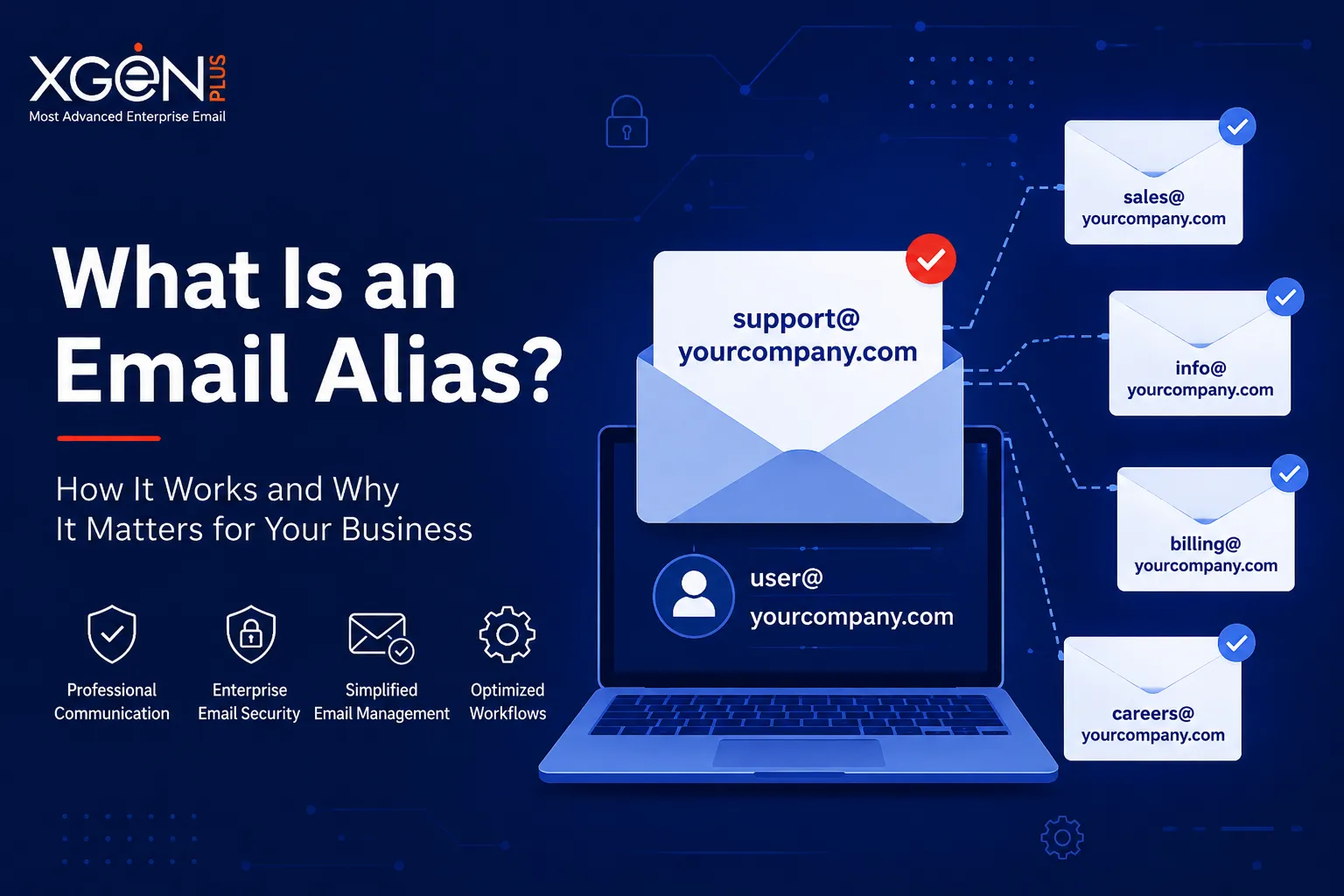
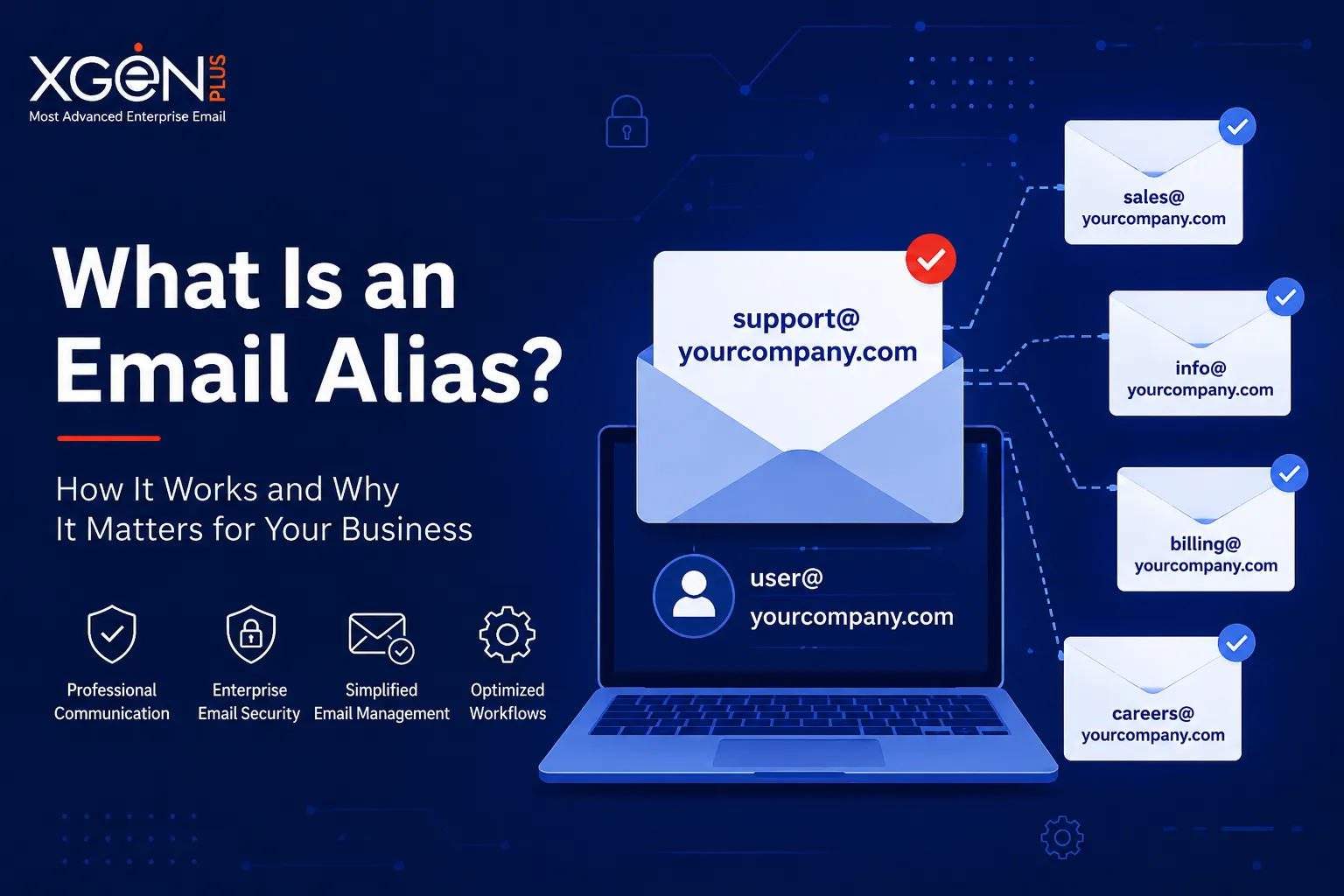
An email alias is an alternative email address connected to an existing mailbox. Instead of creating a separate inbox, businesses can use multiple email identities that all route messages to one primary account. This allows organizations to maintain structured communication without increasing administrative complexity.
For example, a company can create aliases like [email protected], [email protected], and [email protected], while all emails are delivered to a single mailbox managed by a team or employee. The alias itself does not store messages independently, which makes it lightweight and easy to manage.
This system is widely used in modern professional communication because it improves customer trust and presents a more organized business image. Customers feel more confident emailing dedicated addresses rather than personal accounts. It also allows businesses to scale communication channels quickly without additional infrastructure costs.
Another important advantage is flexibility. Organizations can create or remove aliases as departments evolve, campaigns launch, or support requirements change. This makes aliases an important component of a scalable business email solution for growing enterprises.
Why Businesses Use Email Aliases
Businesses use email aliases because they provide a simple yet powerful way to improve communication management and operational efficiency. Instead of maintaining multiple independent mailboxes, organizations can centralize communication while still appearing structured and professional to external audiences.
Aliases also help companies build a stronger brand identity. Customers are more likely to trust emails coming from official addresses like [email protected] instead of generic personal accounts. This consistency strengthens professional communication and reinforces brand credibility across all touchpoints.
From an operational perspective, aliases simplify workflows by categorizing communication into dedicated channels. Different aliases can be assigned for sales, recruitment, customer support, partnerships, or marketing campaigns. This reduces confusion and improves response management for teams handling high email volumes.
In addition, aliases reduce costs because they do not require separate mailbox licenses in many systems. Companies can create multiple functional identities while maintaining centralized management. For businesses focused on scalability, aliases become an efficient and cost-effective business email solution.
Most importantly, when combined with enterprise email security measures like SPF/DKIM/DMARC, aliases help organizations maintain secure and authenticated communication across all departments.
Key Benefits of Email Aliases
- Improved brand credibility
- Better team collaboration
- Organized communication channels
- Reduced operational costs
- Simplified inbox management
Enhanced customer trust
How Does an Email Alias Work?
An email alias functions through email routing configurations managed by a mail server. When someone sends an email to an alias address, the server checks where that alias is mapped and forwards the message to the assigned mailbox. The process happens automatically within seconds and remains invisible to the sender.
For example, if a customer sends an email to [email protected], the email server recognizes that this address is configured as an alias. Instead of storing the message separately, it forwards the email to the destination mailbox linked to the alias. The recipient receives the email directly in their primary inbox.
This routing structure allows businesses to create multiple public-facing email addresses without increasing storage requirements or mailbox management overhead. Employees can receive emails from several aliases while working from a single inbox interface.
Many modern systems also allow users to send replies using the alias address. This ensures consistency in professional communication and maintains a unified business identity during customer interactions.
To ensure secure routing and prevent spoofing, organizations should configure SPF/DKIM/DMARC authentication. These protocols strengthen enterprise email security and help receiving servers verify the legitimacy of alias-based communication.
Step-by-Step Process
- A sender emails [email protected]
- The server checks alias mapping rules
- The message is routed to the assigned mailbox
- The user receives the email in their main inbox
Replies can often be sent using the alias identity
Email Alias vs Email Forwarding
Although email aliases and forwarding are closely related, they are not identical. Many businesses mistakenly assume both systems work the same way, but there are important technical and operational differences. Understanding these differences helps organizations choose the right business email solution for their needs.
An email alias is generally part of the same mail environment and points to an existing mailbox. It does not create a separate inbox or duplicate storage. Everything remains centralized, which makes aliases ideal for internal organization and branded communication.
Email forwarding, on the other hand, often redirects emails from one mailbox to another external address. In some cases, forwarded emails may leave the original domain environment entirely. This can introduce additional security and management challenges.
Aliases are better suited for businesses focused on maintaining consistent professional communication across departments. Forwarding is often used for temporary routing or migration purposes rather than structured communication workflows.
From a security perspective, aliases integrated with SPF/DKIM/DMARC authentication provide stronger enterprise email security controls compared to unmanaged forwarding systems.
| Feature | Email Alias | Email Forwarding |
| Separate inbox | No | Sometimes |
| Uses the same mailbox | Yes | Not always |
| Requires extra storage | No | Depends |
| Common business use | High | Medium |
| Supports branded communication | Yes | Limited |
Why Email Aliases Matter for Enterprise Email Security
Email remains the most common entry point for cyberattacks targeting businesses. Hackers frequently exploit weak email systems to launch phishing attempts, spoof company identities, and steal sensitive information. Without proper controls, even legitimate email aliases can become security vulnerabilities.
This is why enterprise email security is critical for organizations using aliases as part of daily operations. Businesses need systems that can authenticate outgoing emails, verify domain ownership, and prevent unauthorized users from impersonating company addresses.
Authentication standards like SPF/DKIM/DMARC help protect businesses against these risks. They allow mail servers to verify whether emails sent from a domain are legitimate and authorized. This reduces the likelihood of phishing attacks successfully reaching customers or employees.
Secure aliases also help improve email deliverability. Emails that pass authentication checks are more likely to reach inboxes instead of spam folders. This is especially important for businesses that rely heavily on digital communication and customer engagement.
A secure business email solution should therefore combine alias management with an advanced security infrastructure. This ensures organizations can maintain trusted and secure professional communication at scale.
The Role of SPF, DKIM, and DMARC
SPF/DKIM/DMARC are essential email authentication protocols designed to protect businesses against spoofing and phishing attacks. Together, these technologies create a layered security framework that verifies the legitimacy of incoming and outgoing email communication.
SPF, or Sender Policy Framework, identifies which mail servers are authorized to send emails on behalf of a domain. This prevents attackers from sending fake emails pretending to represent a business. DKIM adds a cryptographic signature to messages, ensuring the content has not been modified during transmission.
DMARC builds on both SPF and DKIM by defining how receiving mail servers should handle suspicious or unauthorized emails. It gives domain owners greater visibility and control over email authentication policies.
For businesses using aliases, these protocols are especially important because aliases can otherwise be exploited by cybercriminals. Properly configured authentication improves trust, enhances deliverability, and strengthens overall enterprise email security.
Modern platforms like XgenPlus integrate SPF/DKIM/DMARC support directly into their infrastructure, helping organizations maintain secure and reliable professional communication environments.
Authentication Technologies
- SPF verifies authorized sending servers
- DKIM protects email integrity through signatures
- DMARC defines domain-level security policies
- Prevents phishing attempts and spoofing
Improves inbox delivery rates
Common Business Use Cases for Email Aliases
Email aliases are widely used across organizations because they simplify communication management while presenting a professional brand image. Businesses can create dedicated communication channels for different functions without creating separate mailboxes for every team.
Customer support departments commonly use aliases like [email protected] to centralize inquiries. Sales teams rely on addresses such as [email protected] to manage leads and customer outreach more professionally. Recruitment teams often use [email protected] to separate hiring communication from regular business operations.
Marketing departments also benefit from aliases by organizing newsletters, campaigns, and promotional inquiries under dedicated addresses. This creates cleaner workflows and helps teams manage responses more effectively.
Aliases also provide continuity when employees leave or roles change. Instead of updating customer-facing email addresses repeatedly, businesses can maintain stable communication identities tied to departments rather than individuals.
For enterprises focused on scalable professional communication, aliases are an essential component of a modern business email solution.
Common Use Cases
- [email protected] for customer service
- [email protected] for lead management
- [email protected] for recruitment
- [email protected] for marketing campaigns
[email protected] for executive communication
Conclusion
An email alias may appear to be a small technical feature, but its impact on business communication is significant. It helps organizations create structured, professional, and scalable communication systems without the complexity of managing multiple inboxes. For businesses focused on growth, aliases improve customer trust, streamline workflows, and strengthen operational efficiency.
However, aliases alone are not enough in today’s threat landscape. Businesses also need strong enterprise email security to protect against phishing attempts, spoofing, and unauthorized domain usage. That’s why technologies like SPF/DKIM/DMARC are essential for secure email infrastructure.
A reliable business email solution should combine flexibility, scalability, and advanced security controls. Platforms like XgenPlus help businesses achieve this by providing secure alias management, authentication support, and enterprise-grade communication infrastructure.
As digital communication continues to evolve, organizations that invest in secure and professional email systems will build stronger customer trust and reduce security risks. Businesses that ignore email security and structured communication may eventually face operational challenges, reputation damage, or costly cyberattacks.
If your organization wants to improve professional communication while strengthening enterprise email security, now is the time to explore modern enterprise-ready email infrastructure with XgenPlus.





























Sign in to leave a comment.