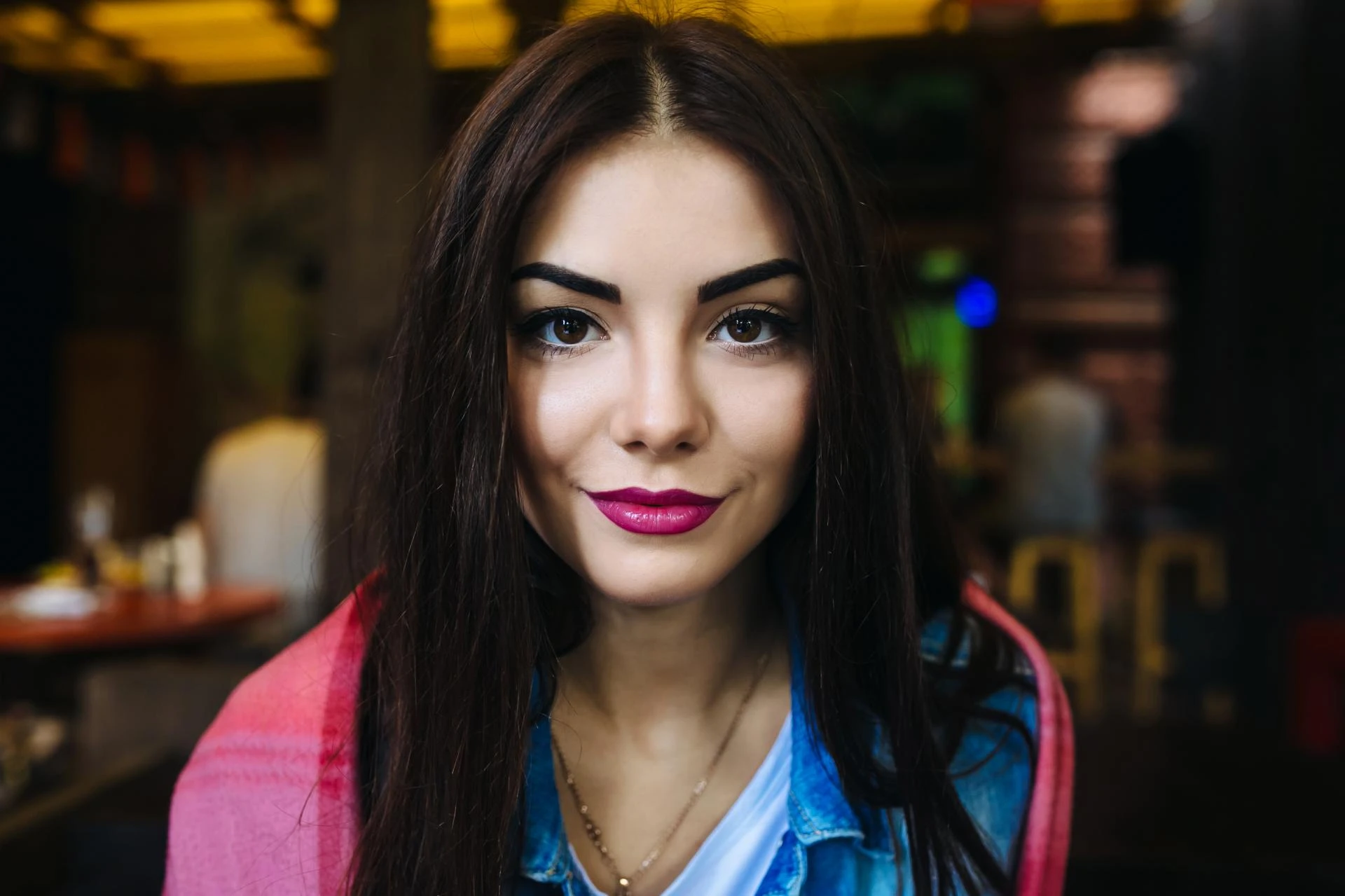

In the ever-evolving world of photography, portrait retouching has become an essential skill for professionals and hobbyists alike. As we step into 2025, the art of enhancing portraits has reached new heights with the integration of AI-powered tools, advanced editing software, and a rising demand for natural aesthetics. Whether you're a photographer, digital artist, or someone looking for portrait retouching services, this comprehensive guide will walk you through the latest tools, industry trends, and techniques that define portrait editing in 2025.
What Is Portrait Retouching?
Portrait retouching is the post-processing practice of enhancing facial features and correcting imperfections in photographs. It involves adjusting skin tone, removing blemishes, brightening eyes, whitening teeth, and even reshaping facial features. With the right balance, retouching can elevate a photo while preserving the subject’s natural look.
In 2025, the boundaries between artificial intelligence and human creativity have blurred, making portrait retouching services more accessible, efficient, and refined than ever before.
Why Is Portrait Retouching Still Relevant in 2025?
In the era of high-resolution smartphone cameras and social media dominance, people are more conscious than ever about how they appear online. Whether it’s for LinkedIn profiles, Instagram feeds, wedding albums, or fashion editorials, polished portraits have become non-negotiable.
Moreover, businesses offering portrait retouching services are seeing a surge in demand, not just from photographers but also from content creators, influencers, and digital marketers.
Top Portrait Retouching Tools in 2025
Here’s a rundown of the best tools leading the portrait editing space this year:
1. Adobe Photoshop 2025
Photoshop remains the gold standard in portrait editing. With its latest 2025 update, Adobe introduced even more intuitive neural filters powered by Adobe Sensei AI, making skin smoothing, blemish removal, and background replacement easier and smarter.
2. Lightroom Classic & Lightroom Mobile
For photographers seeking quick yet high-quality edits, Lightroom’s 2025 AI-powered masking tools and adaptive presets are game-changers. Mobile editing has also become highly efficient for on-the-go professionals.
3. Luminar Neo
Skylum’s Luminar Neo has become a popular choice due to its AI-based tools like “Skin AI,” “Face AI,” and “Bokeh AI.” These features make it ideal for offering fast portrait retouching services without compromising quality.
4. Retouch4me
A collection of smart plugins, Retouch4me provides automatic retouching with stunning results. It’s widely used by studios and freelancers offering bulk portrait editing.
5. Fotor & Canva Pro
For beginners or those working on casual projects, these platforms offer easy-to-use tools for basic retouching and are perfect for social media-ready portraits.
Emerging Trends in Portrait Retouching (2025)
1. AI-Powered Natural Edits
Gone are the days of plastic skin and over-sharpened eyes. In 2025, clients are leaning toward natural-looking results. AI tools now use machine learning to analyze skin texture, lighting, and depth, delivering subtle, lifelike enhancements.
2. Mobile-First Editing
Thanks to powerful smartphone processors, mobile apps for portrait retouching are rivaling desktop software. Many portrait retouching services offer mobile-first solutions to cater to influencers and content creators.
3. Batch Retouching Automation
AI-driven batch processing has reduced turnaround time drastically. Tools like Imagen AI and AfterShoot allow editors to apply consistent retouching across hundreds of images in minutes.
4. Inclusive Beauty Standards
Diversity and inclusion are reshaping the portrait industry. Editors are becoming more sensitive to racial, cultural, and age-related features, ensuring authenticity while enhancing photos.
5. 3D & AR Integration
With AR filters becoming common on apps like Instagram and Snapchat, portrait editing now includes 3D lighting, virtual makeup, and facial mapping, giving rise to interactive portraits.
Pro Techniques to Retouch Portraits Like a Pro in 2025
Whether you’re editing for personal use or running a business offering portrait retouching services, these techniques are essential for top-tier results:
1. Dodge and Burn Non-Destructively
Still one of the most powerful methods to add depth and contour, dodging and burning can enhance features like cheekbones, jawlines, and eyes when done on separate layers.
2. Frequency Separation (FS)
This technique separates texture and color so you can work on skin smoothing without affecting the original skin texture—ideal for magazine-quality portraits.
3. Micro-Detail Retouching
Zooming in to 100% allows for precise editing around the eyes, lips, and hair strands. While AI tools do a decent job, human oversight ensures finesse.
4. Color Grading
2025 trends favor cinematic tones, warm highlights, and desaturated backgrounds. Use LUTs or manual grading to set the mood and complement the subject's skin tone.
5. Smart Sharpening
Apply sharpening selectively using masks—especially on the eyes, eyelashes, and lips—to keep the overall look soft yet detailed where it matters.
Choosing the Right Portrait Retouching Services
If you’re not keen on DIY editing or want professional-quality results, hiring portrait retouching services is a smart move. Here’s what to look for:
- Portfolio Quality: Look for real, unfiltered before-and-after samples.
- Turnaround Time: In 2025, standard delivery is between 12 to 48 hours.
- Customization: Top services offer personalized retouching based on your preferences—natural, glamour, editorial, etc.
- Data Privacy: Ensure your photos are handled with confidentiality, especially for personal or client work.
- Reputation: Check Google reviews, testimonials, or platforms like Fiverr and Upwork.
How Much Do Portrait Retouching Services Cost in 2025?
Pricing can vary based on complexity, image count, and turnaround urgency. Here's a general breakdown:
Service Type Price Range (Per Image)
Basic Skin Retouching $3 – $10
High-End Editorial Retouch $15 – $40
Bulk Portrait Editing $1 – $5 (depending on volume)
Wedding/Baby/Fashion Retouching $10 – $25
Pro tip: Subscription-based portrait editing services are now trending, where users pay a monthly fee for unlimited or bulk editing requests.
Final Thoughts
As we navigate 2025, portrait retouching continues to be a blend of art and technology. Whether you’re a DIY enthusiast or someone outsourcing to professional portrait retouching services, staying updated with the latest tools and trends will ensure your images stand out.
In an age where visuals dominate online interaction, polished portraits aren't just about beauty—they’re a form of expression, identity, and professionalism. Embrace the tools, learn the craft, and deliver visuals that speak volumes.
Sign in to leave a comment.