
Many people need to manage multiple online accounts at the same time. Whether you are a marketer, online seller, or affiliate, handling several accounts is important for your work. But using regular browsers can cause problems like account bans or being detected by websites.
This is where top antidetect browsers help. These special browsers hide your digital fingerprint and let you manage many accounts safely. If you’re unsure which antidetect browser to choose, this article will explain what they are, how to pick the best one, and compare popular options to guide you.
What is an antidetect browser?
Before diving into the selection process, it is important to clarify what an antidetect browser actually is. In simple terms, an antidetect browser is a customized web browser that allows users to conceal or change their digital fingerprint — a unique set of data that websites collect to identify and track users. This fingerprint includes information such as browser type, screen resolution, installed fonts, cookies, IP address, and many other details.
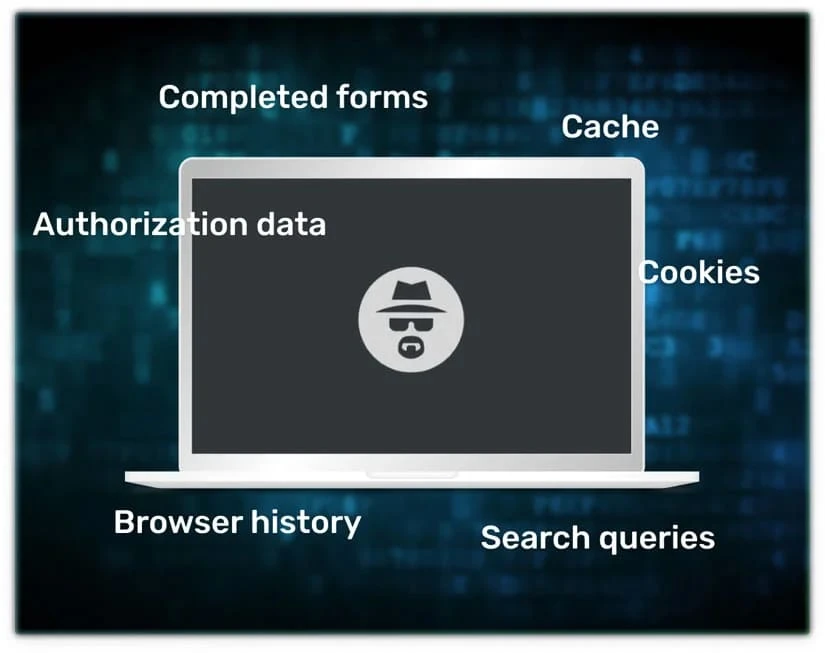
Unlike regular browsers, antidetect browsers can simulate different fingerprints for each profile or session. This means that multiple accounts can be accessed from the same device without linking them together or being flagged by websites. Antidetect browsers also manage cookies, cache, and local storage independently for each profile to avoid crossover data. This technology is essential for users who need to operate many accounts without risking account bans or security issues caused by traditional tracking methods.
Key criteria to select the top antidetect browser
Choosing the top antidetect browser for your needs requires evaluating several important factors. The right choice depends not only on features but also on how well the browser fits your specific use case. Here are the main criteria to consider:
1. Anti-fingerprinting effectiveness
The primary function of an antidetect browser is to prevent websites from identifying multiple accounts coming from the same device or user. The browser’s ability to spoof or mask fingerprinting data effectively is critical. Look for browsers that provide sophisticated fingerprint randomization and mimicry of real user environments. This includes the ability to change user agent strings, WebGL parameters, timezone, language settings, and more.
2. Profile and session management
Efficient multi-account management requires isolated profiles where cookies, cache, and other browsing data do not overlap. The top antidetect browser should allow users to create, save, and switch between multiple profiles easily. Each profile should act as an independent browser with its own fingerprint and data storage.
3. Proxy and IP integration
Changing IP addresses is another essential feature to avoid detection and maintain anonymity. A good antidetect browser integrates proxy support or VPN capabilities, allowing users to assign different IPs for each profile. This flexibility helps users appear as different individuals or locations to websites.
4. User experience and speed
While security and anonymity are paramount, usability should not be sacrificed. The browser should offer smooth performance, quick profile switching, and an intuitive user interface. Some antidetect browsers can be resource-intensive, so optimizing speed and responsiveness is important for efficiency.
5. Platform support and compatibility
Depending on your operating system, you may need a browser that supports Windows, macOS, or Linux. Additionally, consider compatibility with the websites and tools you frequently use. Some antidetect browsers come with built-in automation or integration with third-party software which can be beneficial for advanced users.
6. Pricing and Customer Support
Pricing models vary widely among antidetect browsers. Some offer monthly subscriptions, others charge one-time fees or provide tiered plans based on features. It is essential to balance your budget with the features you need. Moreover, responsive customer support and clear documentation can make a big difference, especially when you face technical issues.
Comparing the top antidetect browsers in the market
To help you better understand your options, here is a comparison of some of the leading antidetect browsers widely recognized for their features and reliability:
1. Hidemyacc
Hidemyacc is a reliable antidetect browser gaining popularity for its balance of ease of use and strong protection. It helps users manage multiple accounts safely by masking digital fingerprints and supporting proxy integration. Hidemyacc provides a simple interface that works well for beginners but also includes features that meet advanced users’ needs. Additionally, it offers affordable pricing and responsive customer support, making it a great choice for both individuals and small businesses.
2. Multilogin
Multilogin is one of the most popular antidetect browsers designed for professionals. It offers advanced fingerprint management and allows users to create numerous browser profiles, each with unique fingerprints and independent cookie storage. The software supports proxy integration and provides a cloud-based option for syncing profiles across devices. While Multilogin is feature-rich and reliable, it can be expensive for individual users or small businesses.
3. Ghost Browser
Ghost Browser focuses on productivity alongside privacy. It is built on Chromium and offers session management that enables users to log into multiple accounts within the same window using isolated tabs. Although it does not offer the full fingerprint spoofing features of dedicated antidetect browsers, it is a good choice for users looking for simpler multi-login capabilities with some privacy features. It is more affordable but less advanced in anti-detection.
4. Kameleo
Kameleo offers sophisticated fingerprint protection and supports over 30 browser profiles with full isolation. It automatically changes fingerprints and includes proxy management features. Kameleo stands out with an easy-to-use interface and regular updates to combat new fingerprinting techniques. It is suitable for both beginners and experts, offering a trial version to test features.
5. Incogniton
Incogniton combines multi-profile management with a powerful antidetect engine. It supports over 30 attributes to spoof fingerprints and offers detailed proxy settings. Its dashboard allows users to organize profiles and automate login processes. Incogniton is praised for its user-friendly design and flexible pricing plans, making it suitable for marketers and developers alike.
6. Linken Sphere
Linken Sphere is often preferred by highly technical users for its deep fingerprint customization and stealth capabilities. It supports numerous fingerprint attributes, including canvas, WebGL, and font spoofing. This browser is popular in fields where the highest level of anonymity is required. However, it comes with a steeper learning curve and higher price point.
How to choose the best top antidetect browser for your needs
Selecting the best antidetect browser ultimately depends on your specific situation and goals. Here are some practical steps to help you decide:
- Assess your actual needs: Consider how many accounts you need to manage simultaneously and how much anonymity is necessary. For casual multi-account use, simpler browsers might suffice, but serious marketers or resellers should opt for full antidetect capabilities.
- Evaluate essential features: List the features you cannot live without, such as proxy support, ease of profile switching, or automation capabilities. Make sure the browser you choose ticks those boxes.
- Try before you buy: Most top antidetect browsers offer free trials or demo versions. Use these to test performance, user interface, and compatibility with your typical workflows.
- Read user reviews: Look for honest feedback from users in your industry or with similar needs. Reviews often reveal practical insights about stability, support quality, and updates.
- Consider budget: Price can vary from affordable to premium. Factor in your budget but remember that cheaper options might not provide the security or features required for efficient multi-account management.
Conclusion
In conclusion, the top antidetect browser plays a crucial role in helping users manage multiple accounts efficiently while avoiding detection and account suspensions. These browsers provide powerful tools to mask digital fingerprints, isolate profiles, and manage proxies, ensuring that each account appears unique and anonymous to websites.
By understanding the technology behind antidetect browsers and carefully considering the criteria discussed, you can confidently choose a browser that best fits your needs. Whether you prioritize advanced fingerprint spoofing, ease of use, or pricing, there is a suitable antidetect browser available for you.
Start by testing popular options like Multilogin or Hidemyacc, evaluate your specific requirements, and then make an informed decision to enhance your multi-account management workflow securely and efficiently.
Frequently Asked Questions (FAQ)
Is using an antidetect browser safe and legal?
Yes, using an antidetect browser is generally safe and legal. It is a tool for privacy and anonymity. However, users should always comply with the terms of service of the websites they access and local laws.
Do I need technical skills to use an antidetect browser?
Most modern antidetect browsers are designed to be user-friendly. While some advanced features might require technical knowledge, many browsers offer simple interfaces for beginners.
Can I manage unlimited accounts with one antidetect browser?
The number of accounts depends on the browser and your subscription plan. Most top antidetect browsers support dozens to hundreds of profiles.
How much does a top antidetect browser typically cost?
Prices vary but expect to pay from $30 up to $150+ per month, depending on features and number of profiles supported.









Sign in to leave a comment.