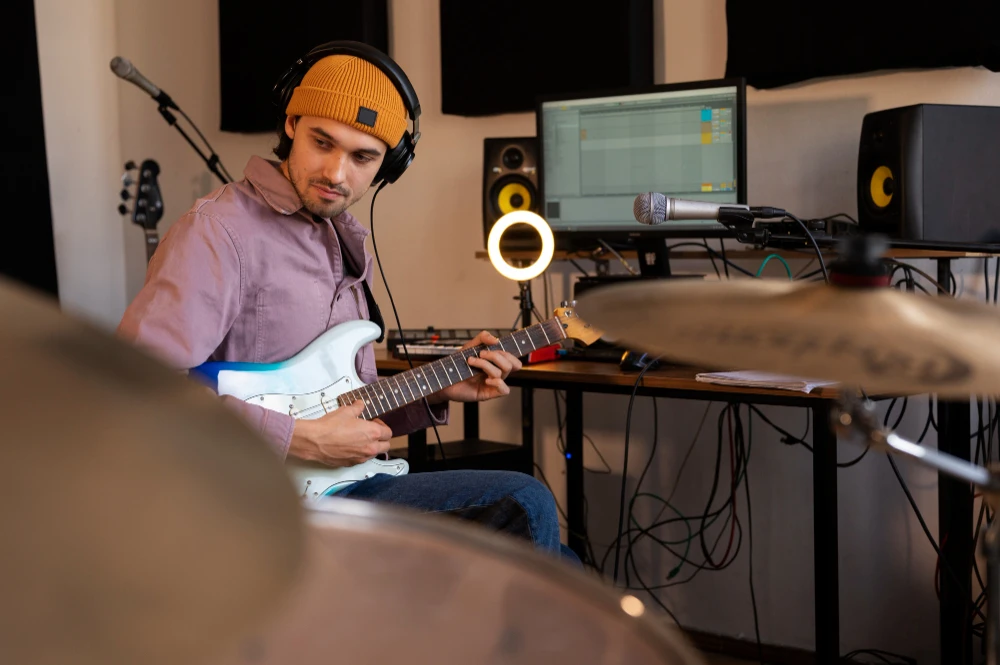

Video demos and tutorials are great tools. They allow you to demonstrate concepts, present products, and walk people through step by step. But it is not always easy to make a tutorial engaging. People get distracted when the video seems dull and silent. This is where royalty-free music for demos becomes useful.
In this blog, we’ll look at how to use music to enhance tutorials and demos, how to pick the right tracks, and why timing matters.
Why Add Music to Tutorials and Demos
- It breaks up silence that feels uncomfortable.
- It makes lengthy descriptions more bearable.
- It assists in cueing shifts between steps.
- It adds a professional touch to the video.
Include royalty-free music for demos to engage with your audience on an emotional level. A suitable track can inspire concentration, instill confidence, and even make technical subjects seem accessible.
Setting the Tone with Music
All tutorials serve a purpose. Some are learning skills, others are demonstrating products, and others are assisting folks to solve issues. The music must match that purpose.
- For technical demos, steady and soothing tracks are optimal.
- For product demonstrations, energetic music generates enthusiasm.
- For tutorial-based lessons, calm and even background noises assist with focus.
Music must complement the tone of the video rather than dominate it. A strong beat in a somber step-by-step guide confuses viewers.
Balancing Music and Voice
In nearly every tutorial, the voiceover is the star. Viewers don't want competition between the voice and the music; they want to be able to clearly follow instructions. That requires balance to be at its best.
The objective is harmony. The music gives life without eclipsing your message. When you find the right balance, your tutorial is professional-grade without sacrificing clarity.
Selecting the Right Style
The type of music that you use depends on your audience and topic. For instance:
- Corporate demos: Light electronic or acoustic tracks provide professionalism.
- Creative tutorials: Infectious or fun tracks infuse energy.
- Software walkthroughs: Simple and contemporary beats assist in keeping the audience focused.
- Educational demos: Soothing piano or ambient music minimize distractions.
Your audience's age, business, and expectations also count. A professional software demo will have a different feel than a design tutorial for students. The proper selection indicates that you know your audience.
Timing Matters
Music is more than selecting a song and playing it. Timing will kill or save your demo's flow.
- Begin with music in the intro to establish the context.
- Reduce it in the main explanation so your voice is heard well.
- Ramp it back up slightly at transitions or closing segments.
Avoiding Common Mistakes
These are some mistakes to steer clear of:
- Too loud – Viewers turn off if they cannot hear the instructions.
- Distracting style – Songs with strong beats or lyrics divert attention.
- No variation – Repeating the same loop for ten minutes becomes monotonous.
- Sudden stops – Sudden cuts in music disrupt the flow.
The answer is easy. Select tracks with continuity, use loops judiciously, and ease transitions.
Establishing Viewer Trust
Tutorials are not only about imparting knowledge. They are trust-building tools, too. Viewers linger longer when the information appears professional. Music comes into play here quietly but effectively.
When you incorporate royalty-free music in demos, your videos become complete. They indicate that you pay attention to detail. That detail gives credibility to your audience. They believe in you because you are credible, reliable, and worth listening to.
Enhancing Retention
Keeping viewers till the end is one of the greatest issues with tutorials. Most of them start watching but drop out halfway. Music resolves this issue.
Background tracks provide rhythm to the video. They provide a sense of pace and movement. The audience feels led and not pulled along the steps. This consistent energy makes them want to linger longer and learn more.
Building Brand Identity
When you produce several tutorials or demos, similar music selections can reinforce your brand. The same type of music throughout your videos builds recognition. As time goes on, the audience associates that noise with your efforts.
This doesn't equate to playing the same track repeatedly. Instead, choose a music library that has the same tone—relaxed, cheerful, or corporate. Thus, your tutorials seem cohesive, and your brand voice is heard.
Practical Tips for Utilizing Music in Demos
To conclude the best practices, here are some fast tips:
- Choose tracks that suit your audience and subject.
- Maintain music at a background, not controlling, level.
- Employ fades for seamless transitions.
- Match the energy of the track with the stage of your demo.
- Test the final video with fresh ears to check the balance.
Final Thoughts
Adding royalty-free tracks for demos is an easy yet effective method of making tutorials more interesting. The proper track evokes the mood, maintains focus, and enables your viewers to trust you. If done well in combination with your voice and message, music upgrades a simple demo to a professional learning experience.
If you produce video tutorials regularly, begin to use music as another part of your storytelling arsenal. It's not background noise—it's a major factor that helps control the mood and pacing of your entire video.
Looking to take your demos to the next level with professional music that's simple to incorporate? Choose Legis Music and discover tracks specifically created to help tutorials shine. With the ideal soundtrack, your material will resonate, stay engaged, and make an impact.




















Sign in to leave a comment.