
Introduction
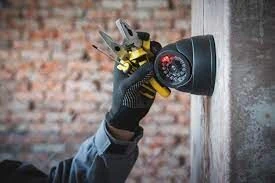
In an era where security is paramount, installing security cameras has become a common practice for both residential and commercial spaces. However, the effectiveness of a security system heavily relies on the proper installation of these cameras. To ensure a seamless security camera installation process, it\'s essential to follow expert tips that guarantee optimal performance and functionality. In this comprehensive guide, we\'ll delve into the intricacies of security camera installation mississauga, covering everything from planning and equipment selection to placement and maintenance.
Understanding Your Security Needs
Assessing Vulnerable Areas
Before diving into the installation process, it\'s crucial to assess the security needs of your property. Identify vulnerable areas that require surveillance, such as entry points, blind spots, and high-traffic zones. Conducting a thorough security audit will guide you in determining the number and types of cameras needed for comprehensive coverage.
Determining Camera Types
Security cameras come in various types, each designed for specific purposes. Consider factors like indoor or outdoor use, day or night monitoring, and the level of detail required. Common types include dome cameras, bullet cameras, and PTZ (pan-tilt-zoom) cameras. Understanding the purpose of each will aid in making informed decisions during the equipment selection process.
Selecting the Right Equipment
Camera Resolution and Quality
The effectiveness of security cameras is directly tied to their resolution and image quality. Higher resolution cameras capture more detailed images, making it easier to identify faces and objects. Aim for at least 1080p resolution, and consider higher options like 4K for critical areas where fine details matter.
Storage Solutions
Choosing the right storage solution is vital for retaining recorded footage. Options include on-site Network Video Recorders (NVRs) or cloud-based storage. Evaluate the storage capacity based on your recording needs and the number of cameras in use. Additionally, factor in backup solutions to prevent data loss in case of malfunctions.
Power Options
Security cameras can be powered through various means, such as traditional electrical wiring, Power over Ethernet (PoE), or battery-operated options. Select a power option that aligns with your installation environment and ensures a reliable power source for uninterrupted surveillance.
Planning the Installation
Creating a Camera Placement Map
A well-thought-out camera placement map is essential for maximizing coverage and minimizing blind spots. Consider the field of view for each camera and strategically position them to cover all angles. Pay attention to areas with high-value assets or those prone to security threats.
Considering Lighting Conditions
Lighting conditions play a significant role in the effectiveness of security cameras. Evaluate the lighting in different areas of your property and choose cameras equipped with features like infrared (IR) or low-light sensitivity for nighttime surveillance. Properly lit areas not only enhance visibility but also deter potential intruders.
Ensuring Legal Compliance
Before installing security cameras, be aware of and adhere to local and national regulations regarding surveillance. Respect privacy boundaries, especially when monitoring public spaces, and clearly display signs indicating the presence of surveillance cameras. Failure to comply with legal requirements can lead to serious consequences.
Essential Tools and Equipment
Tools Checklist
Gathering the right tools ensures a smooth installation process. Common tools include screwdrivers, drills, cable testers, and a ladder for accessing elevated areas. Invest in quality tools to minimize installation errors and ensure the longevity of your security system.
Cable Management Solutions
Proper cable management is often overlooked but is crucial for maintaining a neat and secure installation. Use cable clips, conduits, and enclosures to protect cables from environmental factors and potential tampering. Well-organized cables not only enhance the system\'s aesthetics but also contribute to its overall reliability.
Proper Camera Placement Techniques
Covering Entry Points
One of the primary goals of security camera installers placement is to monitor entry points effectively. Install cameras near doors, windows, and other access points to capture clear footage of individuals entering and exiting the premises. This not only provides valuable evidence in case of incidents but also serves as a deterrent.
Utilizing Strategic Angles
Experiment with camera angles to achieve optimal coverage. Avoid placing cameras at extreme angles that may lead to distortion or blind spots. Strategic placement, such as angling cameras slightly downward, can help capture facial features and details more accurately.
Avoiding Common Mistakes
Learn from common installation mistakes to enhance the effectiveness of your security system. Avoid installing cameras too high or too low, as this can impact their field of view. Additionally, consider factors like glare, backlighting, and environmental obstructions when positioning cameras.
Wiring and Connection Guidelines
Cable Concealment Strategies
Concealing cables not only improves the system\'s aesthetics but also prevents tampering and damage. Explore options like running cables through walls, using conduit systems, or employing wireless solutions for a cleaner and more secure installation.
Wireless Options
Wireless security cameras eliminate the need for extensive cabling, providing flexibility in installation. However, be mindful of potential interference from other electronic devices and ensure a stable Wi-Fi connection. Wireless systems are ideal for areas where wired installations are challenging or impractical.
Testing Connections
Thoroughly test camera connections before finalizing the installation. Check for proper power supply, network connectivity, and video feed. Conducting comprehensive tests ensures that each camera functions as intended, reducing the likelihood of post-installation issues.
Securing Your Network
Setting Up Passwords and Encryption
Protect your security system from unauthorized access by implementing robust passwords and encryption protocols. Change default passwords immediately upon installation and regularly update them to enhance security. Utilize encryption standards like WPA2 for wireless networks to safeguard data transmission.
Regular Software Updates
Stay vigilant against potential security vulnerabilities by keeping your camera firmware and software up to date. Manufacturers often release patches and updates to address known vulnerabilities and enhance system performance. Establish a routine for checking and installing updates to ensure maximum protection against emerging threats.
Configuring Remote Access Safely
Remote access allows you to monitor your security cameras from anywhere with an internet connection. However, it also poses security risks if not configured properly. Implement secure authentication methods and enable features like two-factor authentication to prevent unauthorized access to your surveillance system.
Integration with Other Security Systems
Compatibility Considerations
Integrating security cameras with other security systems, such as alarms and access control systems, enhances overall protection and surveillance capabilities. Prioritize compatibility when selecting equipment to ensure seamless integration and interoperability across different platforms.
Smart Home Integration
Embrace the convenience of smart home integration by connecting security cameras to home automation systems. This allows you to control and monitor your cameras alongside other smart devices from a single interface. Explore options for voice control, motion-triggered alerts, and automated routines to streamline your home security setup.
Alarm Systems and Monitoring
Integrate security cameras with alarm systems for comprehensive security coverage. Configure cameras to trigger alarms based on predefined criteria, such as motion detection or tampering. Consider professional monitoring services for round-the-clock surveillance and immediate response to security threats.
Regular Maintenance Practices
Cleaning and Inspection
Regular maintenance is essential for ensuring the longevity and effectiveness of your security cameras. Clean camera lenses and housings periodically to remove dust, dirt, and debris that can affect image quality. Conduct routine inspections to identify signs of wear or damage and address them promptly.
Updating Firmware
Stay proactive in maintaining your security system by regularly updating firmware and software. Monitor manufacturer announcements for firmware releases and security patches, and schedule updates accordingly. Timely updates mitigate security risks and ensure optimal performance of your cameras.
Troubleshooting Common Issues
Familiarize yourself with common troubleshooting techniques to address minor issues promptly. Learn how to reboot cameras, reset configurations, and diagnose network connectivity issues. Refer to manufacturer documentation and online resources for troubleshooting guidance specific to your camera model.
Legal and Ethical Considerations
Privacy Concerns
Respect privacy boundaries when installing security cameras in both public and private spaces. Avoid capturing footage beyond your property boundaries or into neighboring properties without consent. Be transparent about surveillance practices and inform individuals when they are being recorded.
Compliance with Local Regulations
Familiarize yourself with local laws and regulations governing the use of surveillance cameras. Seek legal advice if necessary to ensure compliance with privacy laws, recording consent requirements, and signage obligations. Ignorance of applicable regulations is not a valid defense in legal proceedings.
Notifying Others About Surveillance
Install visible signage indicating the presence of security cameras to notify visitors and deter potential intruders. Clearly state the purpose of surveillance and provide contact information for inquiries or concerns. Open communication fosters trust and transparency within your community.
Conclusion
A successful security camera installation requires careful planning, proper equipment selection, and adherence to best practices. By following expert tips and guidelines outlined in this article, you can ensure a seamless installation process and maximize the effectiveness of your security system. From assessing security needs to addressing legal considerations, every aspect plays a crucial role in creating a safe and secure environment for your home or business. Invest time and effort in planning and execution to enjoy the peace of mind that comes with robust surveillance coverage.










Sign in to leave a comment.